React Hook Form vs Formik: Which Form Library Should You Use in React?
React Hook Form and Formik are two popular React form libraries, but they work very differently. This guide explains their differences, performance, validation, use cases, and which one is better for modern React projects.
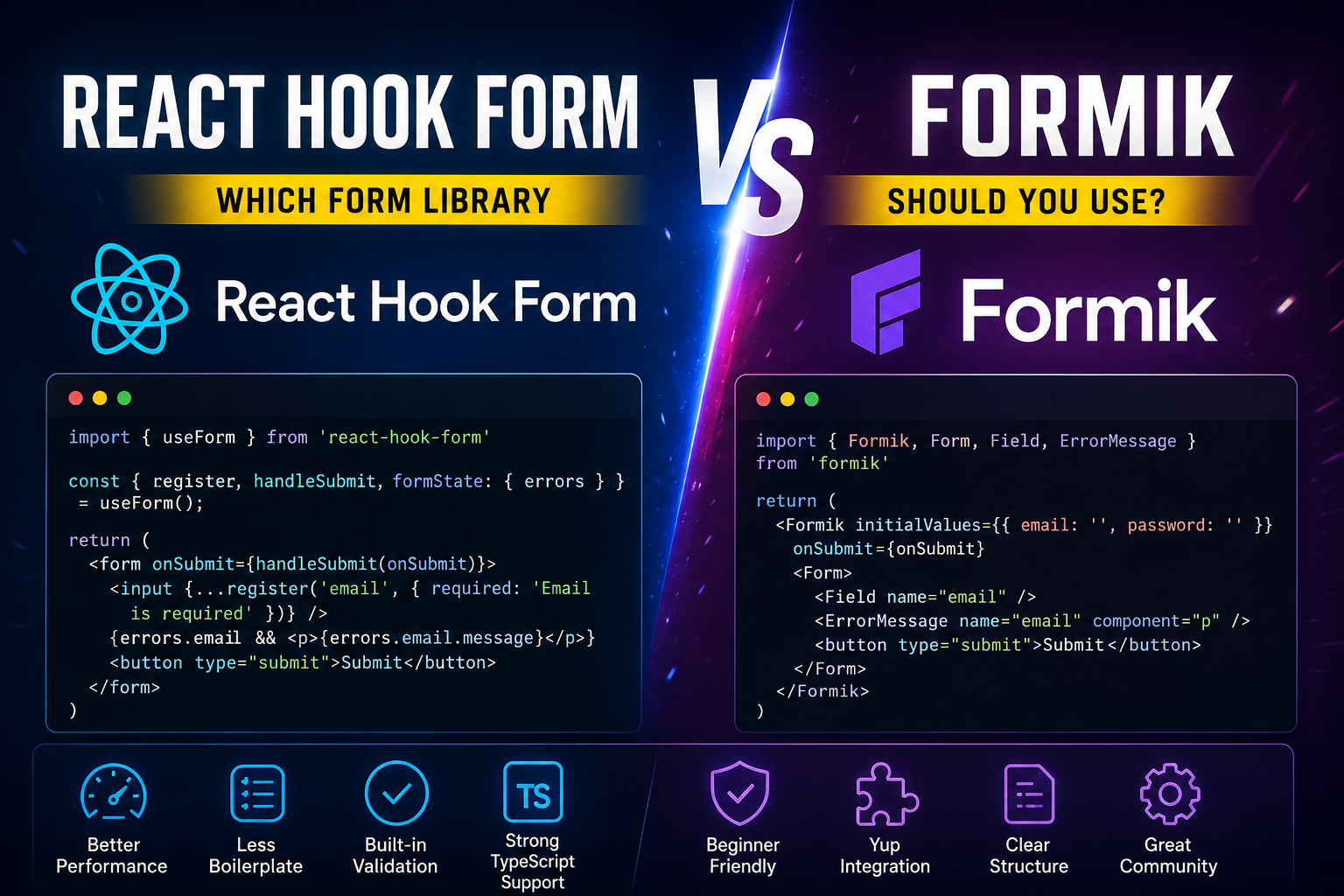
React Hook Form vs Formik: Which Form Library Should You Use in React?

Forms are one of the most important parts of any React application. Whether you are building a login page, signup form, admin dashboard, checkout page, contact form, CRM form, ERP module, or product enquiry form, you need a clean way to handle user input.
In React, two popular form libraries are React Hook Form and Formik.
Both libraries help you manage form values, validation, error messages, and submit logic. But they work in different ways.
React Hook Form is more performance-focused and modern.
Formik is older, beginner-friendly, and still used in many existing React projects.
In this blog, we will compare React Hook Form vs Formik in a simple and practical way.
What Is React Hook Form?

React Hook Form is a form management library for React. It uses hooks like useForm() to handle input registration, validation, errors, and form submission.
The main idea of React Hook Form is simple:
Instead of creating useState for every input field, you register the field using register() and let React Hook Form handle the value internally.
Example:
import { useForm } from "react-hook-form";

type LoginForm = {
  email: string;
  password: string;
};

export default function LoginPage() {
  const {
    register,
    handleSubmit,
    formState: { errors },
  } = useForm<LoginForm>();

  const onSubmit = (data: LoginForm) => {
    console.log(data);
  };

  return (
    <form onSubmit={handleSubmit(onSubmit)}>
      <input
        {...register("email", { required: "Email is required" })}
        placeholder="Email"
      />
      {errors.email && <p>{errors.email.message}</p>}

      <input
        type="password"
        {...register("password", { required: "Password is required" })}
        placeholder="Password"
      />
      {errors.password && <p>{errors.password.message}</p>}

      <button type="submit">Login</button>
    </form>
  );
}
Here, register("email") connects the email input to React Hook Form.
You do not need to write this:
const [email, setEmail] = useState("");
const [password, setPassword] = useState("");
That is why React Hook Form usually feels cleaner for large forms.
What Is Formik?

Formik is another popular form library for React and React Native. It helps you manage form state, validation, errors, touched fields, and submit handling.
Formik usually works with controlled components, which means the form values are stored inside React state.
Example:
import { Formik, Form, Field, ErrorMessage } from "formik";

type LoginForm = {
  email: string;
  password: string;
};

export default function LoginPage() {
  return (
    <Formik<LoginForm>
      initialValues={{ email: "", password: "" }}
      validate={(values) => {
        const errors: Partial<LoginForm> = {};

        if (!values.email) {
          errors.email = "Email is required";
        }

        if (!values.password) {
          errors.password = "Password is required";
        }

        return errors;
      }}
      onSubmit={(values) => {
        console.log(values);
      }}
    >
      <Form>
        <Field name="email" placeholder="Email" />
        <ErrorMessage name="email" component="p" />

        <Field name="password" type="password" placeholder="Password" />
        <ErrorMessage name="password" component="p" />

        <button type="submit">Login</button>
      </Form>
    </Formik>
  );
}
Formik gives you components like:
FormikFormFieldErrorMessage
This makes it easy for beginners because the structure is clear.
Main Difference Between React Hook Form and Formik

The biggest difference between React Hook Form and Formik is how they handle form values.
Formik stores form values in React state.
That means when a user types in an input field, React state updates. This is easy to understand, but in large forms, it can cause more re-renders.
React Hook Form mainly uses uncontrolled inputs.
That means the browser DOM keeps the input value, and React Hook Form reads it when needed. Because of this, React Hook Form usually creates fewer re-renders.
Simple explanation:
| Topic | React Hook Form | Formik |
|---|---|---|
| Main style | Mostly uncontrolled inputs | Mostly controlled inputs |
| Performance | Better for large forms | Good for small/medium forms |
| Code | Less boilerplate | More structure |
| Learning | Slightly different at first | Easier for beginners |
| Validation | Built-in, Zod, Yup | Manual, Yup |
| TypeScript | Very strong | Good |
| Best use | Modern production apps | Existing projects / beginner forms |
Controlled vs Uncontrolled Inputs
To understand React Hook Form vs Formik, first understand controlled and uncontrolled inputs.
Controlled Input
A controlled input is controlled by React state.
import { useState } from "react";

export default function ControlledInput() {
  const [email, setEmail] = useState("");

  return (
    <input
      value={email}
      onChange={(e) => setEmail(e.target.value)}
      placeholder="Email"
    />
  );
}
Every time the user types, React updates the state.
Formik mostly follows this approach.
Uncontrolled Input
An uncontrolled input keeps its value inside the DOM.
import { useRef } from "react";

export default function UncontrolledInput() {
  const emailRef = useRef<HTMLInputElement>(null);

  const handleSubmit = () => {
    console.log(emailRef.current?.value);
  };

  return (
    <>
      <input ref={emailRef} placeholder="Email" />
      <button onClick={handleSubmit}>Submit</button>
    </>
  );
}
React Hook Form mainly uses this idea internally.
This is one reason React Hook Form can perform better in large forms.
Performance: Which One Is Faster?
React Hook Form is usually faster than Formik for large forms.
Why?
Because Formik stores input values in React state. When a user types, React updates state and may re-render parts of the form.
For small forms, this is not a big problem.
But imagine a large admin form with:
- 40 input fields
- 10 dropdowns
- file uploads
- conditional sections
- dynamic fields
- validation messages
- product variants
- pricing rules
In this type of form, too many re-renders can affect performance.
React Hook Form avoids many unnecessary re-renders because it uses uncontrolled inputs by default.
So, for large production forms, React Hook Form is usually the better option.
Validation in React Hook Form
React Hook Form supports simple validation directly inside register().
Example:
<input
  {...register("email", {
    required: "Email is required",
    pattern: {
      value: /^[^\s@]+@[^\s@]+\.[^\s@]+$/,
      message: "Enter a valid email address",
    },
  })}
/>
This is simple and useful for small validation rules.
You can validate:
- required fields
- min length
- max length
- pattern
- custom validation
Example:
<input
  {...register("username", {
    required: "Username is required",
    minLength: {
      value: 3,
      message: "Username must be at least 3 characters",
    },
  })}
/>
React Hook Form with Zod

React Hook Form works very well with Zod.
Zod is a TypeScript-first validation library. It helps you write validation rules and also create TypeScript types from the same schema.
Example:
import { useForm } from "react-hook-form";
import { z } from "zod";
import { zodResolver } from "@hookform/resolvers/zod";

const loginSchema = z.object({
  email: z.string().email("Enter a valid email"),
  password: z.string().min(6, "Password must be at least 6 characters"),
});

type LoginForm = z.infer<typeof loginSchema>;

export default function LoginPage() {
  const {
    register,
    handleSubmit,
    formState: { errors },
  } = useForm<LoginForm>({
    resolver: zodResolver(loginSchema),
  });

  const onSubmit = (data: LoginForm) => {
    console.log(data);
  };

  return (
    <form onSubmit={handleSubmit(onSubmit)}>
      <input {...register("email")} placeholder="Email" />
      {errors.email && <p>{errors.email.message}</p>}

      <input type="password" {...register("password")} placeholder="Password" />
      {errors.password && <p>{errors.password.message}</p>}

      <button type="submit">Login</button>
    </form>
  );
}
This is a very popular modern combination:
React Hook Form + Zod + TypeScript
It gives you:
- form validation
- type safety
- cleaner code
- better developer experience
Validation in Formik
Formik supports manual validation and schema-based validation.
Manual validation example:
<Formik
  initialValues={{ email: "", password: "" }}
  validate={(values) => {
    const errors: {
      email?: string;
      password?: string;
    } = {};

    if (!values.email) {
      errors.email = "Email is required";
    }

    if (!values.password) {
      errors.password = "Password is required";
    }

    return errors;
  }}
  onSubmit={(values) => {
    console.log(values);
  }}
>
  <Form>
    <Field name="email" />
    <ErrorMessage name="email" component="p" />

    <Field name="password" type="password" />
    <ErrorMessage name="password" component="p" />

    <button type="submit">Submit</button>
  </Form>
</Formik>
Formik is very clear because the form values, validation, and submit logic are written together.
Formik with Yup
Formik is commonly used with Yup.
import { Formik, Form, Field, ErrorMessage } from "formik";
import * as Yup from "yup";

const loginSchema = Yup.object({
  email: Yup.string()
    .email("Enter a valid email")
    .required("Email is required"),
  password: Yup.string()
    .min(6, "Password must be at least 6 characters")
    .required("Password is required"),
});

export default function LoginPage() {
  return (
    <Formik
      initialValues={{ email: "", password: "" }}
      validationSchema={loginSchema}
      onSubmit={(values) => {
        console.log(values);
      }}
    >
      <Form>
        <Field name="email" placeholder="Email" />
        <ErrorMessage name="email" component="p" />

        <Field name="password" type="password" placeholder="Password" />
        <ErrorMessage name="password" component="p" />

        <button type="submit">Login</button>
      </Form>
    </Formik>
  );
}
Formik + Yup is still a good combination, especially in existing projects.
Code Size and Boilerplate
React Hook Form usually needs less code.
With React Hook Form, you mainly use:
const { register, handleSubmit, formState: { errors } } = useForm();
With Formik, you usually need:
<Formik initialValues={} validate={} onSubmit={}>
  <Form>
    <Field />
    <ErrorMessage />
  </Form>
</Formik>
Formik is not bad, but it often feels more verbose.
React Hook Form feels cleaner when the form grows.
TypeScript Support

React Hook Form has very strong TypeScript support.
Example:
type ProductForm = {
  name: string;
  price: number;
  category: string;
};

const form = useForm<ProductForm>();
Now your form data is typed.
If you try to use a wrong field name, TypeScript can help you catch the mistake.
Formik also supports TypeScript, but React Hook Form usually feels better in modern TypeScript projects.
Dynamic Fields
React Hook Form is very good for dynamic fields.
For example, if you are building an invoice form, you may need multiple item rows.
React Hook Form provides useFieldArray() for this.
import { useForm, useFieldArray } from "react-hook-form";

type InvoiceForm = {
  items: {
    name: string;
    qty: number;
  }[];
};

export default function InvoiceFormPage() {
  const { register, control, handleSubmit } = useForm<InvoiceForm>({
    defaultValues: {
      items: [{ name: "", qty: 1 }],
    },
  });

  const { fields, append, remove } = useFieldArray({
    control,
    name: "items",
  });

  return (
    <form onSubmit={handleSubmit((data) => console.log(data))}>
      {fields.map((field, index) => (
        <div key={field.id}>
          <input
            {...register(`items.${index}.name`)}
            placeholder="Item name"
          />

          <input
            type="number"
            {...register(`items.${index}.qty`, {
              valueAsNumber: true,
            })}
            placeholder="Qty"
          />

          <button type="button" onClick={() => remove(index)}>
            Remove
          </button>
        </div>
      ))}

      <button type="button" onClick={() => append({ name: "", qty: 1 })}>
        Add Item
      </button>

      <button type="submit">Submit</button>
    </form>
  );
}
This is useful for:
- invoice items
- product variants
- multiple phone numbers
- multiple addresses
- recipe ingredients
- order line items
- ERP production rows
Formik also supports array fields, but React Hook Form is usually cleaner and faster for dynamic forms.
UI Libraries Support
Both libraries can work with UI libraries like:
- Material UI
- Ant Design
- React Select
- Shadcn UI
- Chakra UI
- Mantine
But there is one difference.
React Hook Form works very easily with normal HTML inputs:
<input {...register("name")} />
But for controlled UI components, you may need Controller.
Example:
import { Controller, useForm } from "react-hook-form";

type ProductForm = {
  category: string;
};

export default function ProductFormPage() {
  const { control, handleSubmit } = useForm<ProductForm>();

  return (
    <form onSubmit={handleSubmit((data) => console.log(data))}>
      <Controller
        name="category"
        control={control}
        render={({ field }) => (
          <select value={field.value} onChange={field.onChange}>
            <option value="">Select category</option>
            <option value="electronics">Electronics</option>
            <option value="fashion">Fashion</option>
          </select>
        )}
      />

      <button type="submit">Submit</button>
    </form>
  );
}
Formik works naturally with controlled components, so some UI libraries may feel easier with Formik at first.
Pros and Cons of React Hook Form
Pros
- Better performance
- Fewer unnecessary re-renders
- Less boilerplate
- Strong TypeScript support
- Works well with Zod
- Good for large forms
- Good for dynamic forms
- Good for modern React projects
- Useful for dashboards, CRM, ERP, and ecommerce forms
Cons
- Slight learning curve for beginners
Controllercan feel confusing at first- Some UI libraries need extra setup
- Different mental model if you are used to controlled components
Pros and Cons of Formik
Pros
- Beginner-friendly
- Easy to understand
- Clear structure
- Good Yup support
- Good for small and medium forms
- Still used in many existing projects
- Works naturally with controlled components
Cons
- Can cause more re-renders
- More boilerplate
- Less performance-friendly for large forms
- Not usually the first choice for new modern React projects
When Should You Use React Hook Form?
Use React Hook Form when you are building:
- a new React project
- a TypeScript project
- a large form
- a dynamic form
- a multi-step form
- an admin dashboard
- an ecommerce checkout form
- a CRM form
- an ERP form
- a form with Zod validation
- a performance-sensitive application
For modern projects, this is a very good stack:
React Hook Form + Zod + TypeScript
When Should You Use Formik?
Use Formik when:
- your project already uses Formik
- your team already understands Formik
- your form is small or medium-sized
- you want a beginner-friendly structure
- you are already using Yup
- you prefer controlled components
- you are maintaining an older React codebase
Formik is still useful. You do not need to remove it from an existing project unless you have performance issues or want to modernize the form system.
Which One Should You Choose?
For most new React projects, React Hook Form is the better choice.
It is faster, lighter, cleaner, and works very well with TypeScript and Zod.
Formik is still good, but it is better for older projects, beginner forms, or teams already using Formik.
Simple rule:
New project: React Hook Form
Existing Formik project: Keep Formik unless there is a reason to migrate
Small beginner form: Formik is okay
Large production form: React Hook Form is better
TypeScript + Zod project: React Hook Form is better
Formik + Yup existing project: Formik is okay
Final Verdict
React Hook Form and Formik both help you build forms in React.
But they are not the same.
Formik is easy to understand and beginner-friendly. It is good for small forms and existing projects.
React Hook Form is more modern, faster, and better for large production apps. It reduces unnecessary re-renders and works very well with TypeScript and Zod.
So, if you are starting a new React project today, choose:
React Hook Form
If your project already uses Formik and it works fine, you can continue with:
Formik
In simple words:
Formik is easier to start with. React Hook Form is better to grow with.
PlayerRAMBO on YouTube
Subscribe for recommendations, tech, and more.
Comments
Loading comments…